 OFFICESQUATS
1,000+ squats counted so far
Get fit at the job that made you unfit.
OfficeSquats locks your Mac every hour until you do 10 squats. Your camera counts them. 90 a day, no gym.

Free download · One payment to keep it, no subscription · macOS 14+
Willpower was never the problem. The distance between you and the workout was. OfficeSquats makes that distance zero: the workout comes to your desk, ten reps at a time.
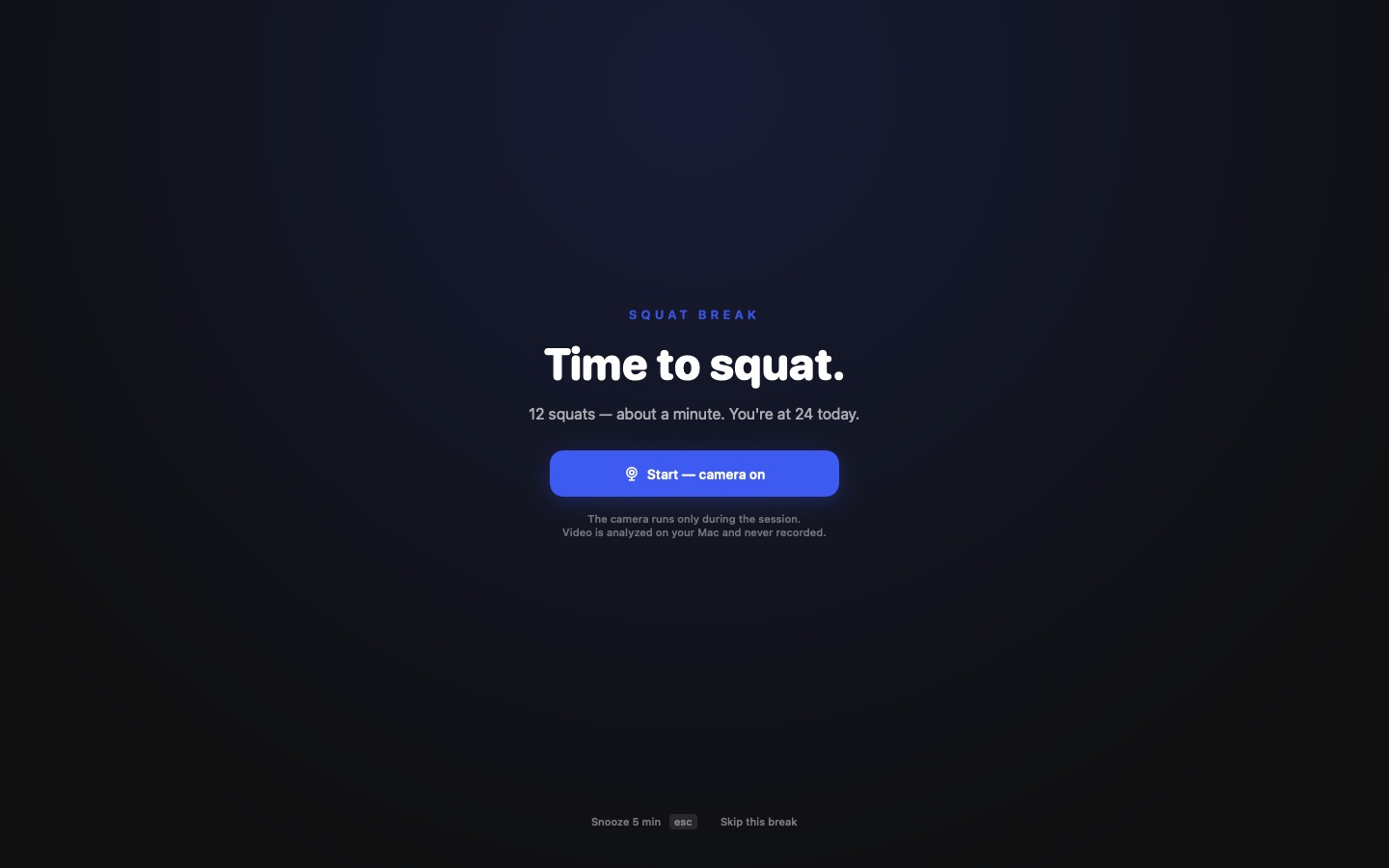
It locks your Mac until you squat.
On the hour, a full-screen break covers every display. No notification to swipe away, no decision to make. Ten squats later you're back exactly where you were, and the whole thing took about a minute.
esc Snoozes it 5 minutes. It comes back. That's the point.
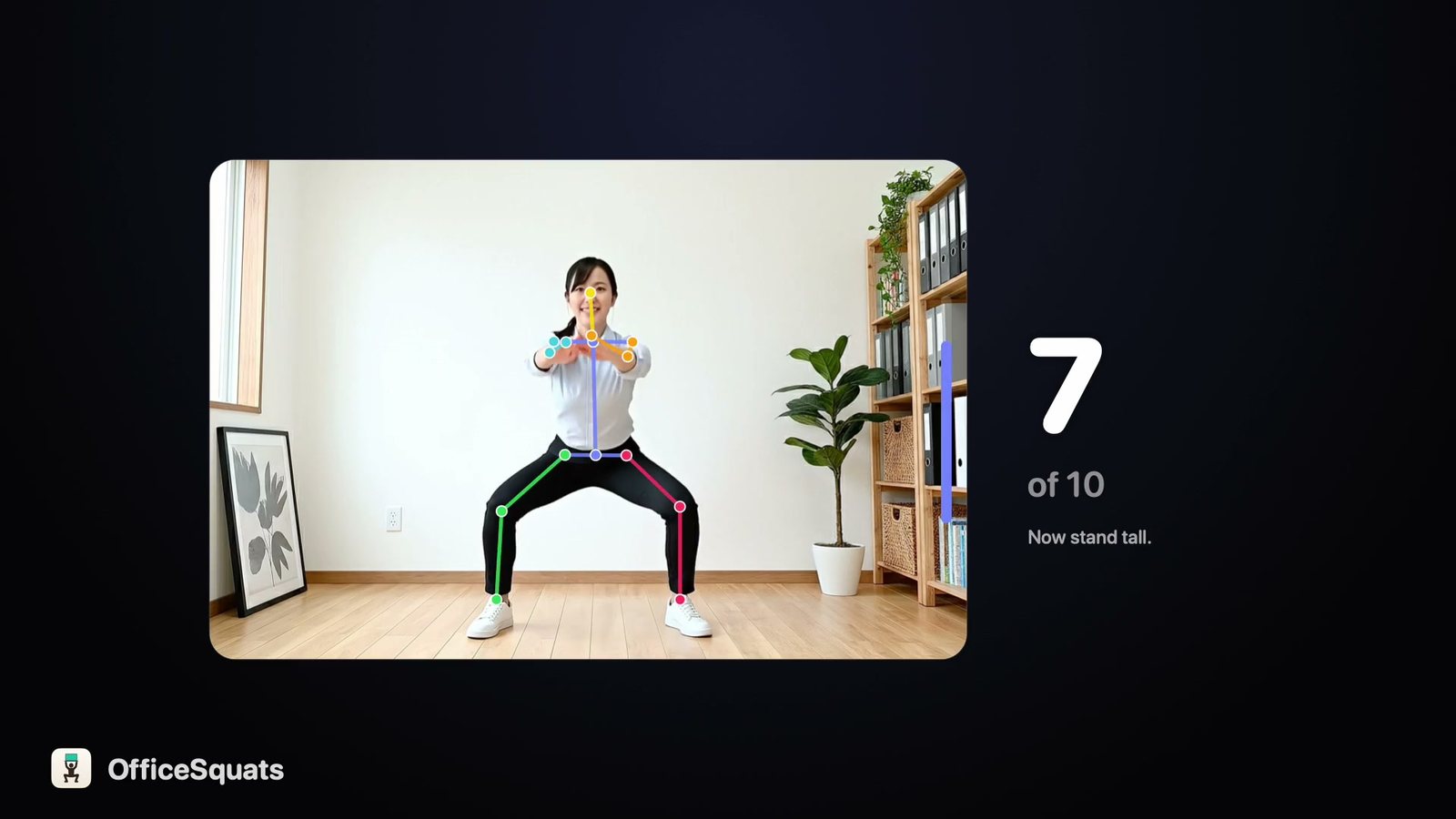
Every rep counted. Nothing leaves your Mac.
Pose runs on the Neural Engine inside your Mac: 17 body points per frame, thrown away after each one. Deep squats count, half-hearted dips don't. No video is stored, nothing is uploaded, no account exists.
Never mid-meeting. Even while your AI agent works.
It reads your Apple, Google and Outlook calendars and waits for the free moment. A running Zoom, Teams or FaceTime call holds it too. Claude Code keeps coding while you squat; the break never steals your terminal's focus.

Get fitter ten squats at a time.
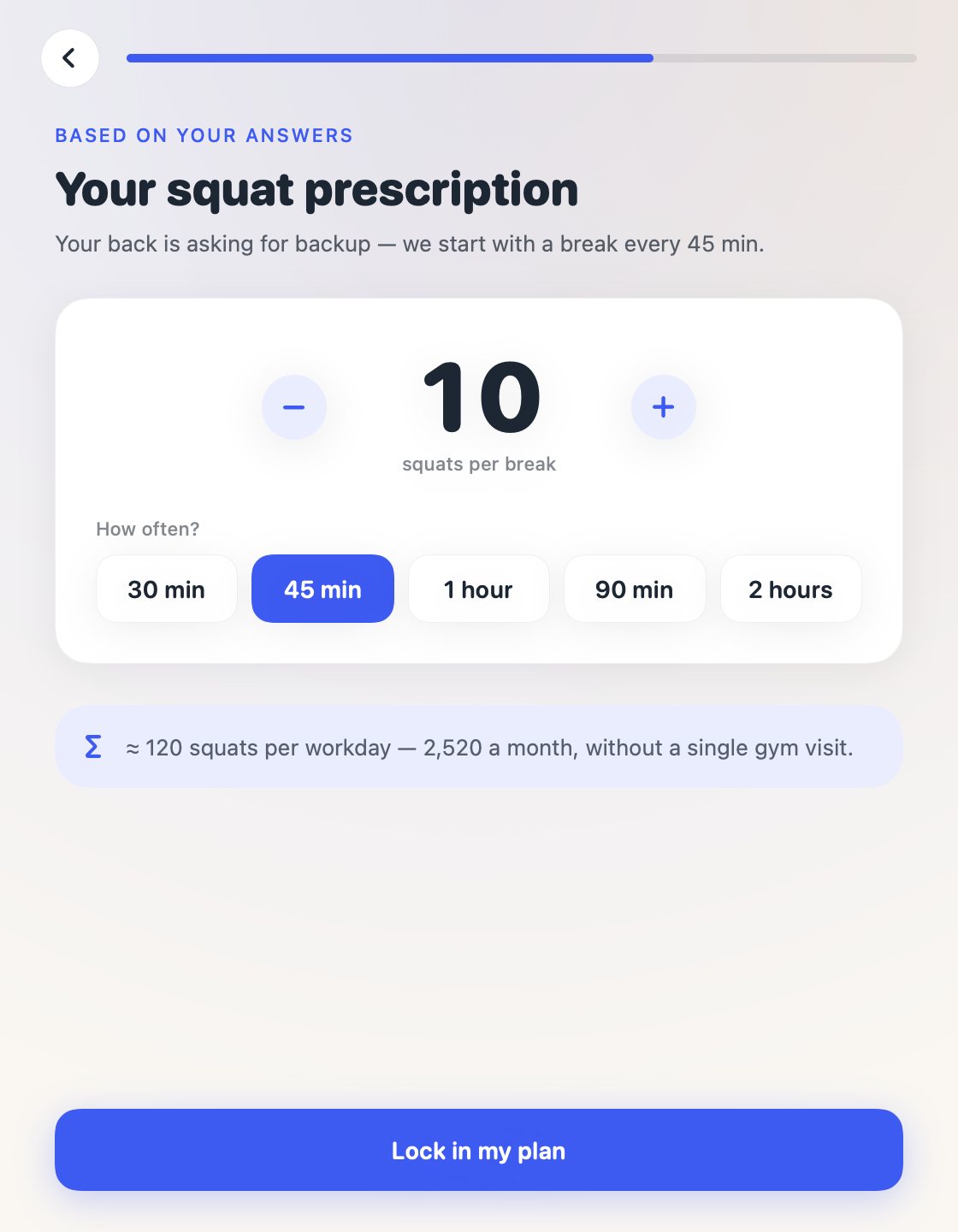
Ten a break is 90 a day and 22,680 a year, in office clothes, between two emails. Stronger legs, glutes and core, and about 40 kcal burned at your desk every workday, around 10,000 a year without a gym visit. Whether that shows on the scale depends on lunch. Start with 5 every 2 hours if your knees are skeptical; both dials live in the menu bar.
Squats counted so far
Jan's 1,000 from building it. Macs that share anonymous stats add theirs to this number.
Built by two people who sit for a living.

Jan Philip WahleHalf of OfficeSquats. The other half is Lars Kaesberg.
Hi, we're Jan and Lars, two developers near Göttingen, Germany. We built OfficeSquats for our own desks first: I did the first 1,000 squats myself while building the counter, in front of the same camera you'll use. Our earlier apps, Bloatless and SwipePhotos, live on the iPhone. This one lives on the machine we sit at all day.
OfficeSquats went live on the Mac App Store on September 24, 2026. Nobody has used it long enough for a before-and-after story, so there are no testimonials here. When there are, they will be real, with names. If it changes your week, email us and your words go here.
Jan Philip Wahle & Lars KaesbergWKSolutions GbR · [email protected]
Every fitness app wants a subscription.
A typical fitness-app paywall · example prices
- 3-day "free" trial that charges on day 3
- Cancel flow buried four screens deep
- Features drip-fed behind more paywalls
Nothing renews, every update is included, and support comes from the two people who built it.
Lifetime license
Your local price appears automatically in the app before you buy.
- 1 license, every Mac you own
- Unlimited camera-counted breaks
- Every future update included
- No account, no subscription
Free download. Try a real squat break, then pay once inside the app.
Mac App Store for macOS 14+ · Video never leaves your Mac
Questions people ask
Which Macs does it run on?
Any Mac on macOS 14 or newer. The built-in camera is enough, and a desk webcam that only sees your upper body works too: the counter tracks how far your body drops, head to hips.
Is it free?
The download is free. Setup ends with a real three-squat break counted by your camera, so you see it work before any money changes hands. Then one payment makes it yours for good, no subscription. The exact price shows in your currency inside the app.
I work in an open office. Really?
Esc snoozes 5 minutes, skipping is one click, and breaks only fire inside the work hours and days you set. Or squat anyway and become the reason your whole row starts.
What does the camera actually see?
Frames go to the Neural Engine on your Mac, come back as 17 body points, and are thrown away. Nothing is stored or uploaded. Recording a clip exists only as a button you press on purpose, and the file goes to a folder you pick.
Can I change the dose?
Squats per break and minutes between breaks are two dials in the menu bar. Start with 5 every 2 hours if your knees are skeptical, and turn it up as it gets easy.
What if it doesn't stick?
It sticks precisely because it doesn't rely on you. But if OfficeSquats isn't for you, you can request a refund through Apple at reportaproblem.apple.com.
Get fit at the job that made you unfit.
Free download · One payment to keep it · macOS 14+
Allow website analytics to help us understand visits and purchases? Privacy details